 NVMe Monitor
Press Kit
NVMe Monitor puts external SSD temperature and SMART health in the Mac menu bar.
Fact sheet
- Developer
- Ramiz Kichibekov
- Platform
- macOS 27 or later.
- Version
- 1.0, in preparation for the Mac App Store
- Languages
- 17 interface languages
- Compatibility
- External NVMe SSDs with native NVMe access through compatible enclosures
- Privacy
- Local monitoring. No account required.
Download the fact sheet (TXT, English)
About NVMe Monitor
The menu bar displays the selected drive’s temperature. Open the panel for readings and SMART health for each compatible drive, including wear, spare capacity, data read and written, and media errors. Set a threshold for local alerts or read a drive’s temperature in Shortcuts.
Screenshots
Click an image to open the original PNG. The SMART screenshot uses real measurements with anonymized drive identification.
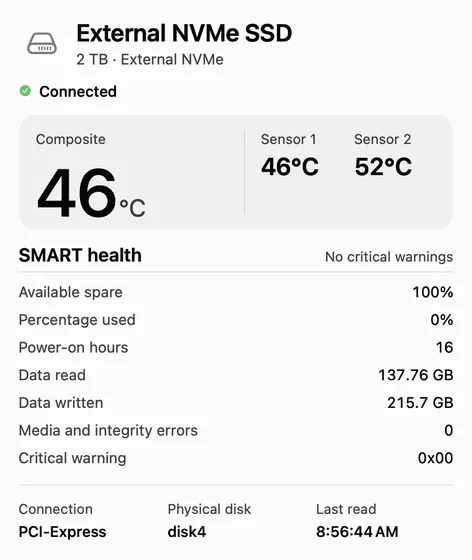
External NVMe SSD temperatures and SMART data in the popover
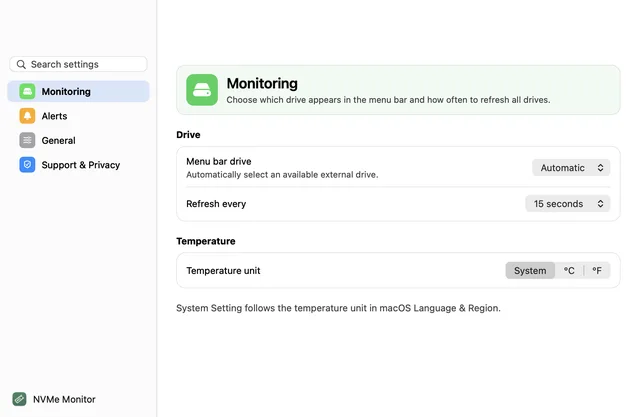
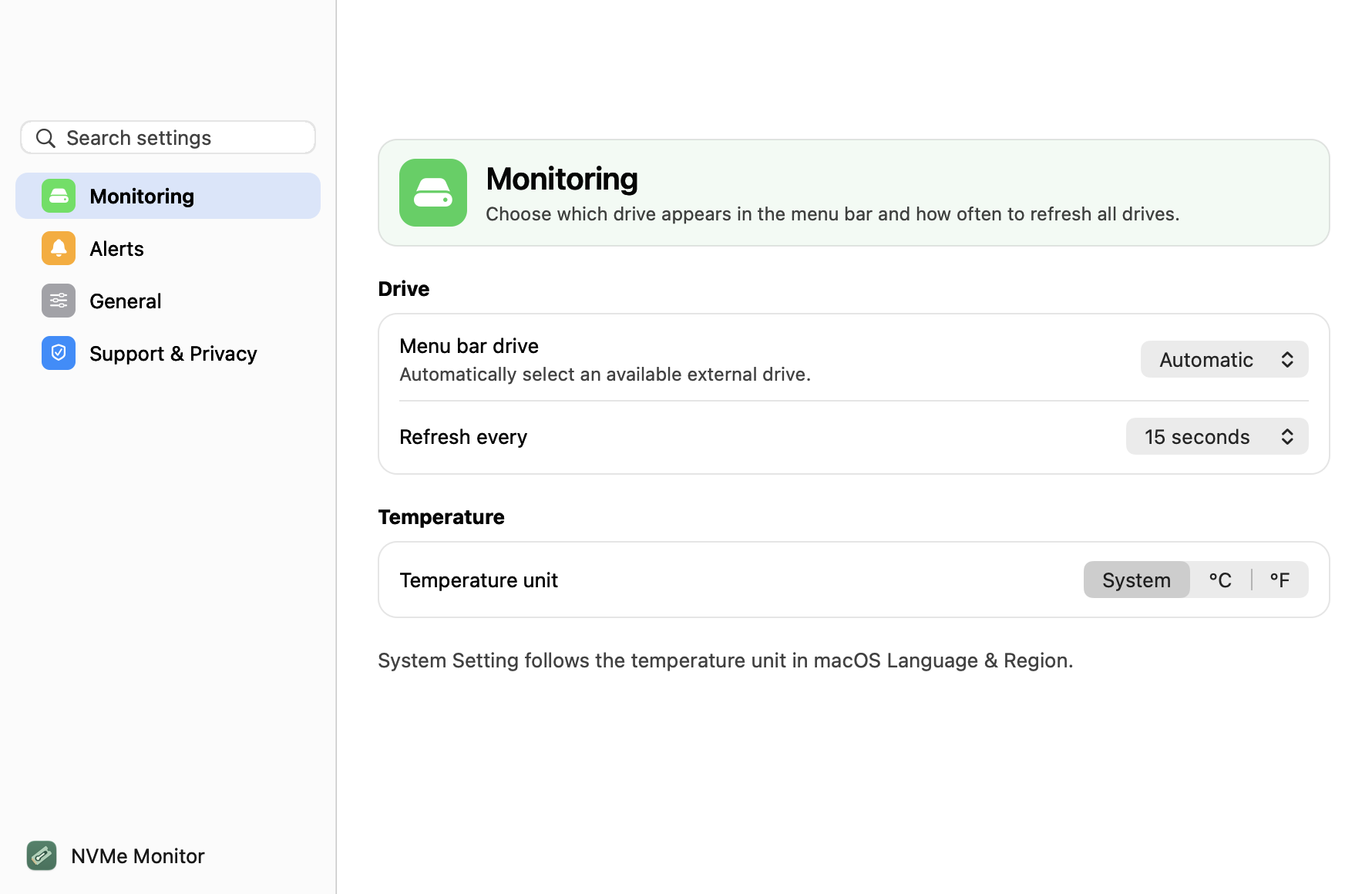
Settings for menu bar drive, refresh interval and temperature unit
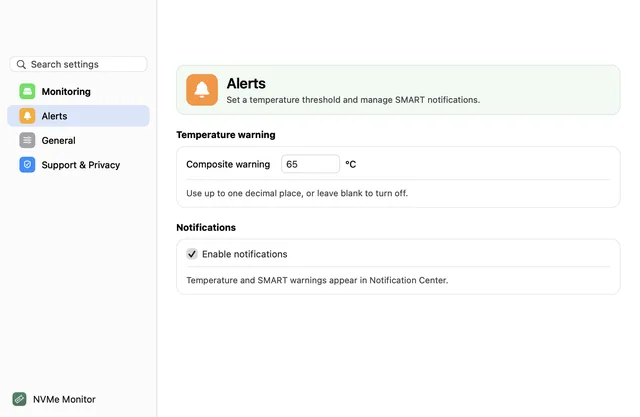
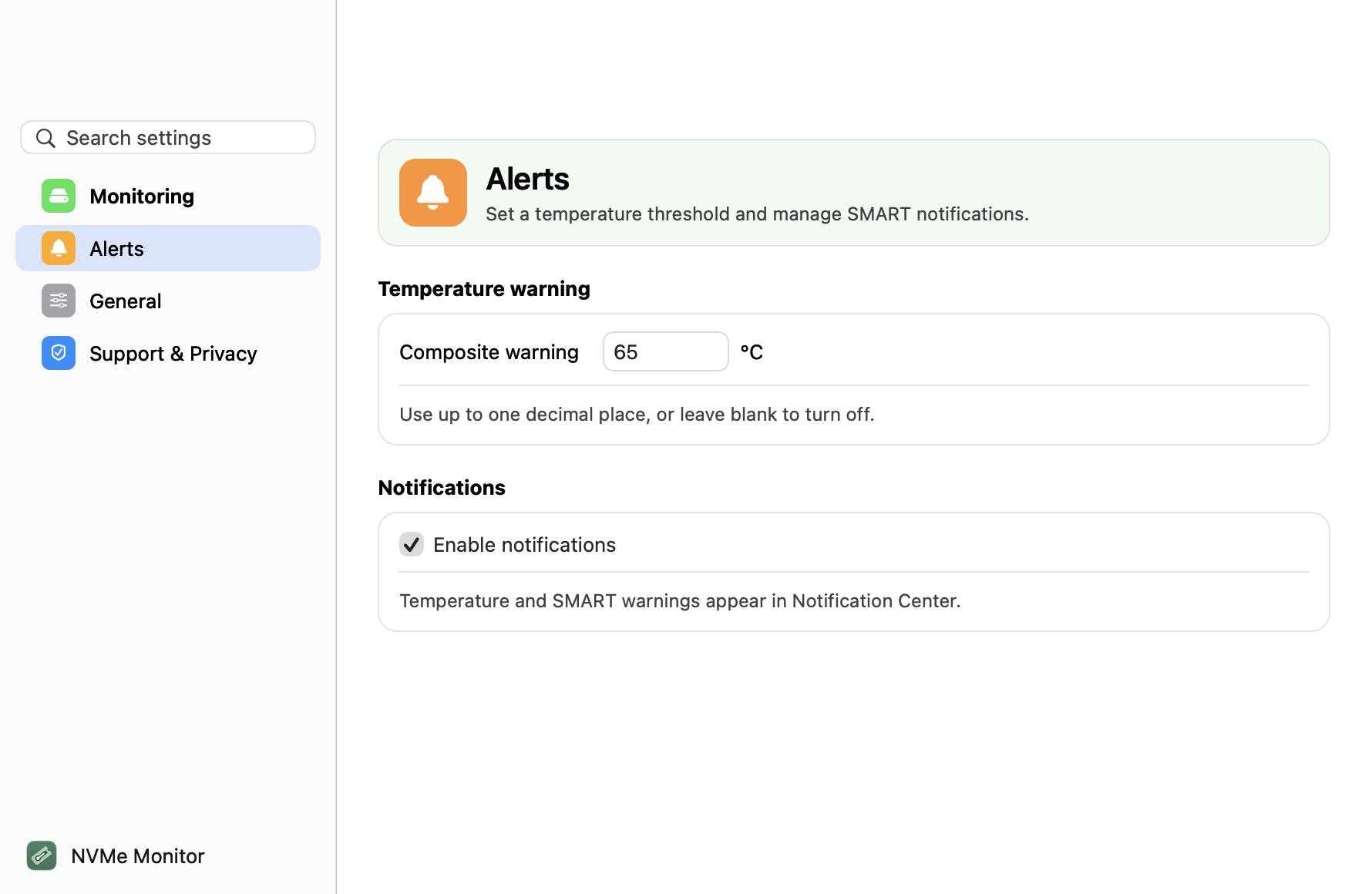
Settings for temperature and SMART notifications
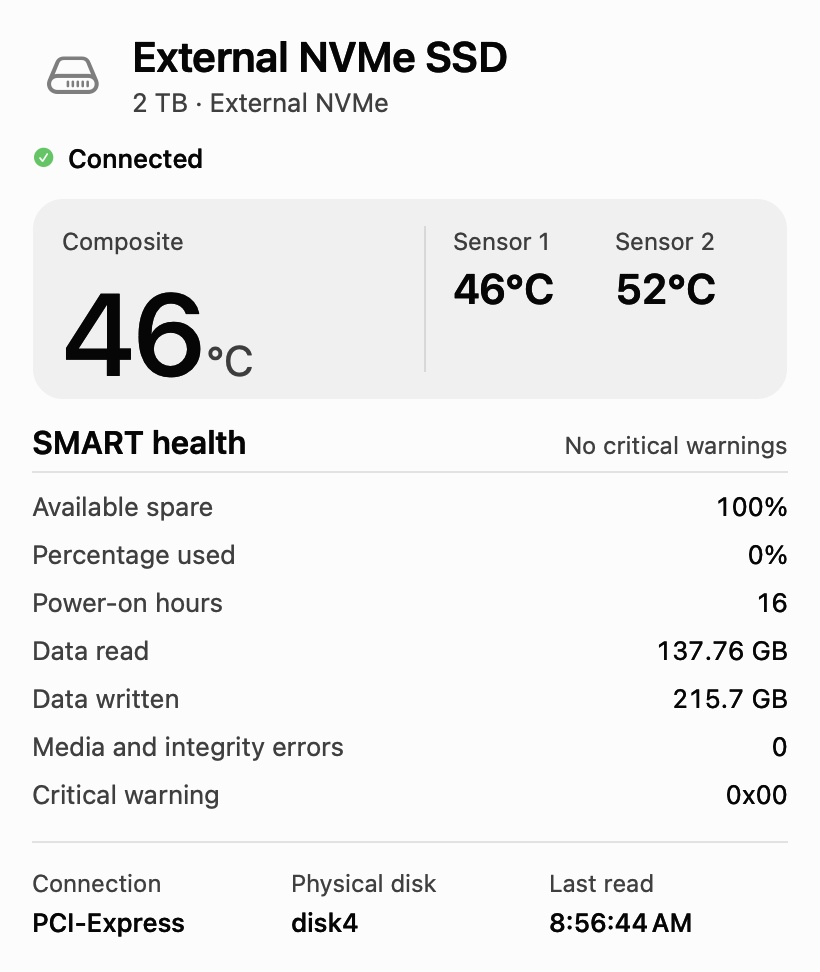
App icon
Contact
Press assets are available for editorial coverage of NVMe Monitor.